
Coaching calls
Sell 1:1 coaching sessions and let paying clients book directly into your available slots.

Let clients book an available time right from your store. Connect free or paid sessions to Google Calendar, with a Meet link ready for the conversation.
No card requiredSee it in action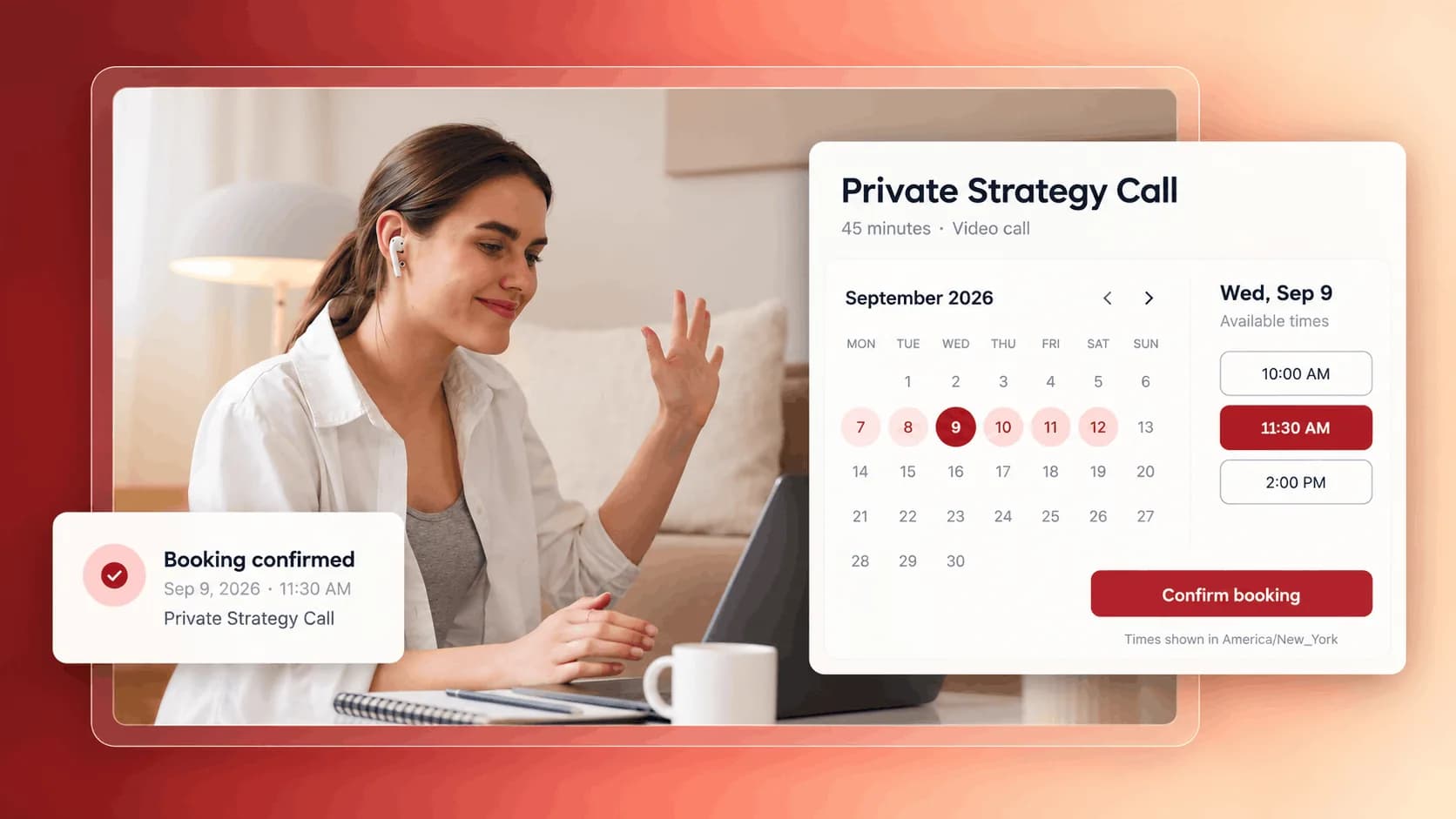
A quick introduction or a deeper session. Shape the booking around your time.
A little time to focus on what comes next.
Make it easy for a new client to start a conversation.
Illustrative example. Your content, your brand, your setup.
The practical tools that help you turn this part of your business into one connected customer experience.
Sell 1:1 coaching sessions and let paying clients book directly into your available slots.
Offer discovery or strategy calls as a product, free or paid, with instant Meet links.
Give members of a course or community recurring access to bookable time with you.
Deliver any time-based service - reviews, audits, mentoring - without a separate scheduling tool.
Define your availability with flexible rules and let clients book open slots directly from your branded store.
Confirmed bookings land in your Google Calendar with an auto-generated Google Meet link, and your busy times block new bookings automatically.
Attach the calendar to free or paid products so only the right clients can book, with access synchronized to purchases and subscriptions.
Collect the context you need before a call with required short, long, single-choice, and multiple-choice questions, shown all at once or one step at a time.
Customize confirmation and cancellation emails, schedule up to three reminders before a meeting, and send up to two follow-ups afterward.
Let clients cancel or move bookings themselves while you control how many reschedules are allowed and how close to the meeting changes can happen.
Set notice periods, booking windows, daily and total caps, per-client allowances, and buffer time before or after every meeting.
Show times in each visitor's local timezone or lock the calendar to one timezone for in-person sessions and fixed-location events.

Website builder

Build offers people can buy
Learn more
Visual drag-and-drop editor
Learn more
Your branded store
Learn more
Identity & look
Learn more
Your own domain
Learn more
Accept secure payments
Learn more
Manual discount codes
Learn more
Automatic timed discounts
Learn more
Structured learning
Learn more
Public articles & insights
Learn more
Bookings & scheduling
Learn more
Branded member community
Learn more
Community access
Learn more
Standalone custom pages
Learn more
Embed any web page
Learn more
Automatic & content emails
Learn more
Visible bar messages
Learn more
Conversion overlays
Learn more
Modern discovery layer
Learn more
Pixels & ad data
Learn more
Store performance
Learn more
Leads, access, subs
Learn more
Roles & collaborators
Learn more
Terms & privacy pages
Learn more
Run Zemers by chat
Learn moreYou create a Calendar App, set your availability rules, and attach it to your store or a product. Clients pick a free slot and the booking is confirmed with all the details.
Set your availability, connect Google Calendar, and let clients book free or paid sessions from your store.


