
Embed layer
Paste any URL - Notion, Google Docs, a dashboard, a tool - and Zemers brings the external page into your store under your brand.

Bring embeddable pages and resources into your branded experience. Keep useful tools close to the products your customers already use.
No card requiredSee it in action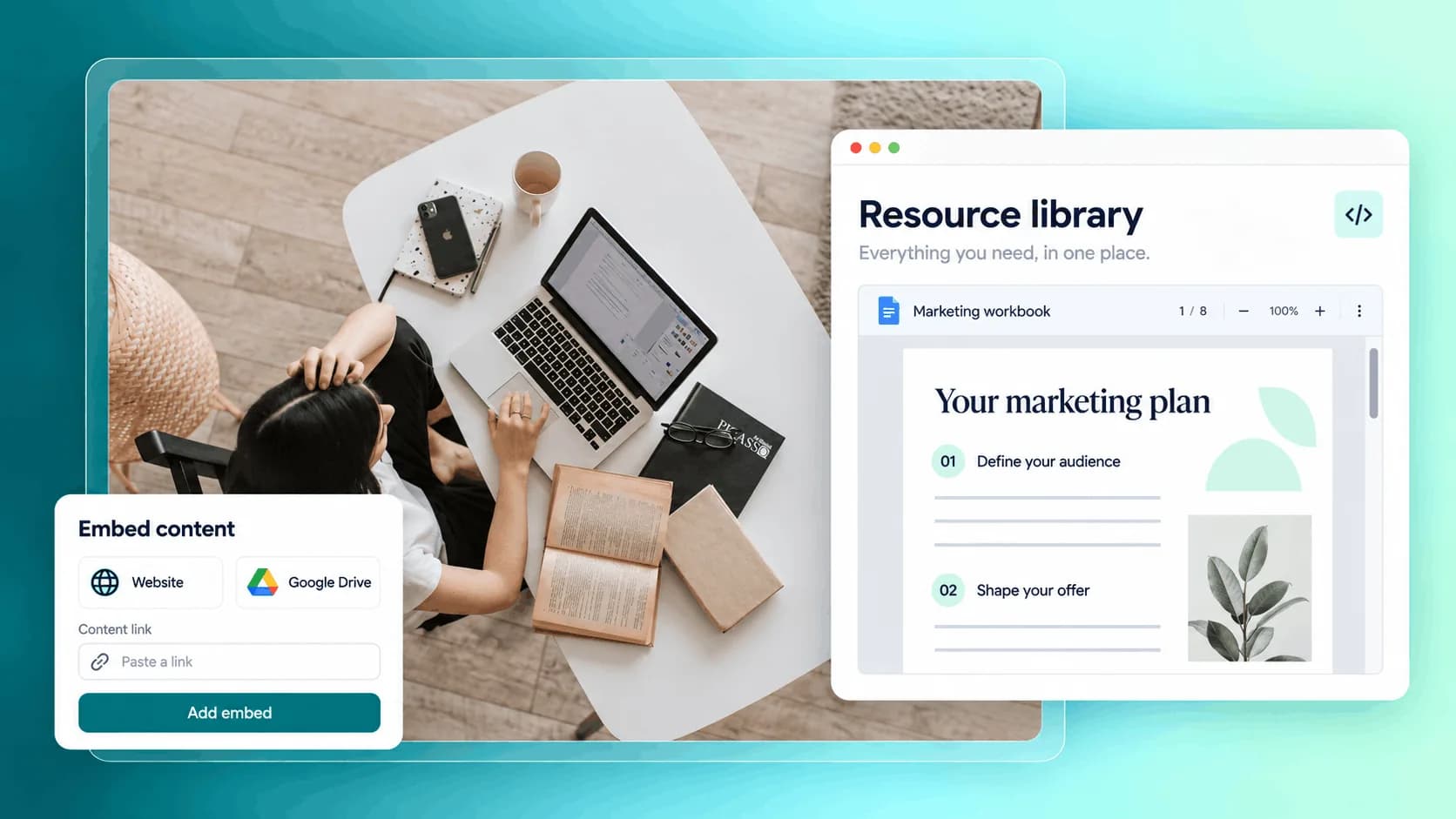
A document, a resource, a workspace. Frame it as part of your business.
Bring a shared knowledge page into a familiar branded frame.
Illustrative example. Your content, your brand, your setup.
The practical tools that help you turn this part of your business into one connected customer experience.
Paste any URL - Notion, Google Docs, a dashboard, a tool - and Zemers brings the external page into your store under your brand.
Choose the framing your customers see - branded hero, title, headline, description - or hide the top bar for a fully immersive view.
Keep the page public on your storefront, or attach it to a product so only buyers who get access can open it.
Embed a public Notion workspace inside your store and sell access to it as a paid product or membership.
Bring your Google Docs, Slides, Sheets, and Forms into your branded storefront without sending customers off-platform.
Embed your Google Calendar appointment schedule and let customers book sessions directly from inside your store.
Embed a live dashboard - metrics, reports, calendars - and gate it behind a product so only your customers can see it.
Show your own web app, calculator, or interactive tool inside Zemers, connected to a product or membership.
Point the Embed App at any public URL - your own site, a landing page, a docs site - and deliver it under your brand.

Website builder

Build offers people can buy
Learn more
Visual drag-and-drop editor
Learn more
Your branded store
Learn more
Identity & look
Learn more
Your own domain
Learn more
Accept secure payments
Learn more
Manual discount codes
Learn more
Automatic timed discounts
Learn more
Structured learning
Learn more
Public articles & insights
Learn more
Bookings & scheduling
Learn more
Branded member community
Learn more
Community access
Learn more
Standalone custom pages
Learn more
Embed any web page
Learn more
Automatic & content emails
Learn more
Visible bar messages
Learn more
Conversion overlays
Learn more
Modern discovery layer
Learn more
Pixels & ad data
Learn more
Store performance
Learn more
Leads, access, subs
Learn more
Roles & collaborators
Learn more
Terms & privacy pages
Learn more
Run Zemers by chat
Learn moreThe Embed App lets you bring an external web page into your Zemers store and show it full-screen under your brand. You point it at any URL - Notion, Google Docs, an external dashboard, or a custom tool - and Zemers handles the framing.
Bring compatible embeddable pages and resources into your branded space. Connect them to the products your customers use.


