
Discount
Create percentage or fixed-amount discounts for your campaign, depending on how you want to position the offer.
Plan a discount, choose your products, and set the dates. Your campaign runs during the window you choose, with no code to remember.
No card requiredSee it in action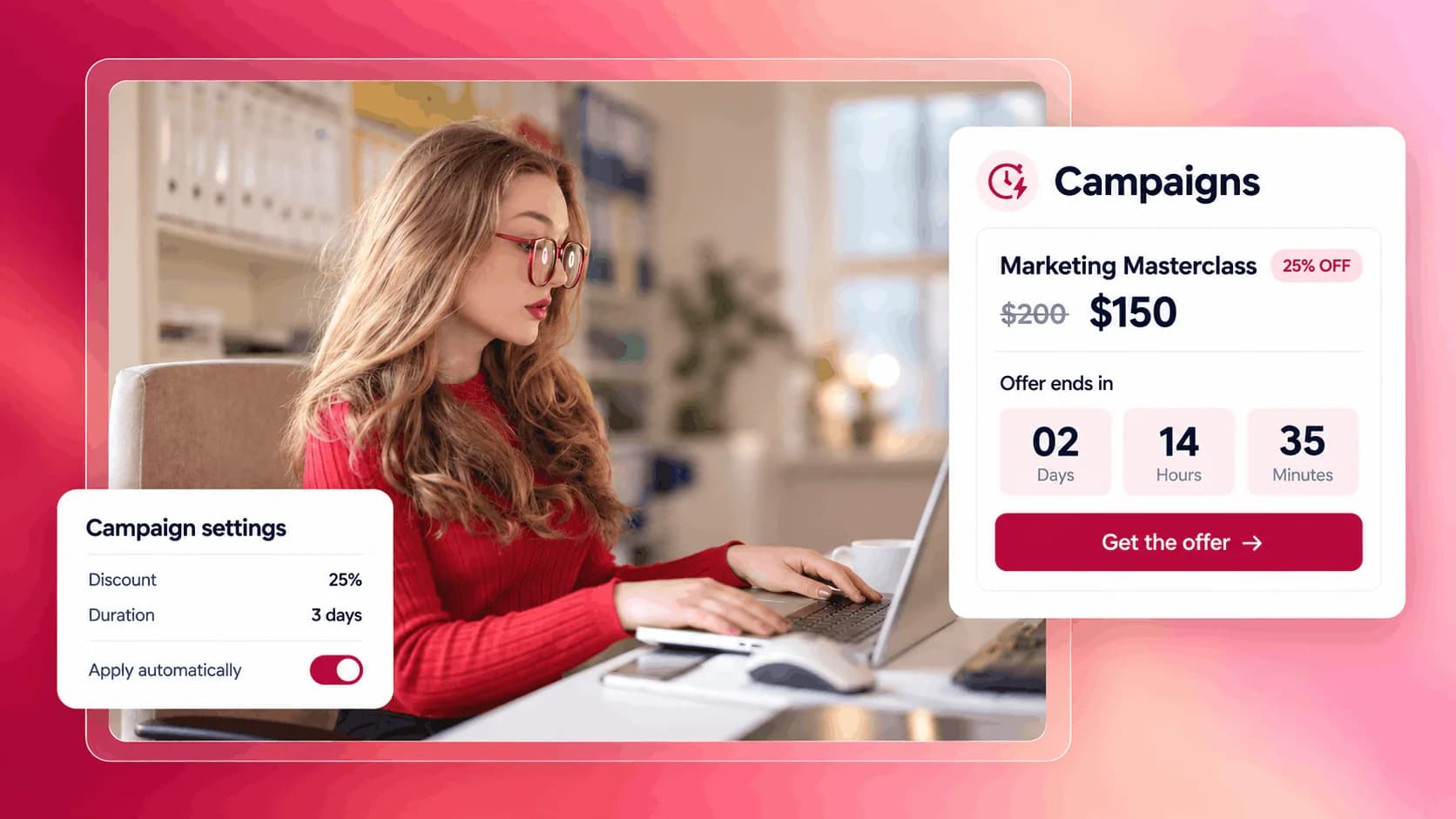
From a short sale to a bigger launch. See how the timing changes the offer.
Give a new course an introductory price for its first week.
Illustrative example. Your content, your brand, your setup.
The practical tools that help you turn this part of your business into one connected customer experience.
Create percentage or fixed-amount discounts for your campaign, depending on how you want to position the offer.
Set the start date, end date, time, and timezone so the campaign runs only during the window you choose.
Apply the campaign to selected products or leave it open for all products in your store.
Run a limited-time discount when you release a new course, product, membership, or digital resource.
Create a short campaign with a clear deadline to give people a stronger reason to buy now.
Apply a campaign to all products when you want to make your full store more attractive for a limited time.
Apply the campaign only to selected products when you want to promote one offer without discounting everything.

Website builder
Build offers people can buy
Learn more
Visual drag-and-drop editor
Learn more
Your branded store
Learn more
Identity & look
Learn more
Your own domain
Learn more
Accept secure payments
Learn more
Manual discount codes
Learn more
Automatic timed discounts
Learn more
Structured learning
Learn more
Public articles & insights
Learn more
Bookings & scheduling
Learn more
Branded member community
Learn more
Community access
Learn more
Standalone custom pages
Learn more
Embed any web page
Learn more
Automatic & content emails
Learn more
Visible bar messages
Learn more
Conversion overlays
Learn more
Modern discovery layer
Learn more
Pixels & ad data
Learn more
Store performance
Learn more
Leads, access, subs
Learn more
Roles & collaborators
Learn more
Terms & privacy pages
Learn more
Run Zemers by chat
Learn moreNot exactly. Promo codes require customers to enter a code manually at checkout. Campaigns apply the discount automatically during the active time window, without any action needed from the customer.
Choose your products, discount, and promotion window. Scheduled campaigns apply the offer automatically during that time.


